




















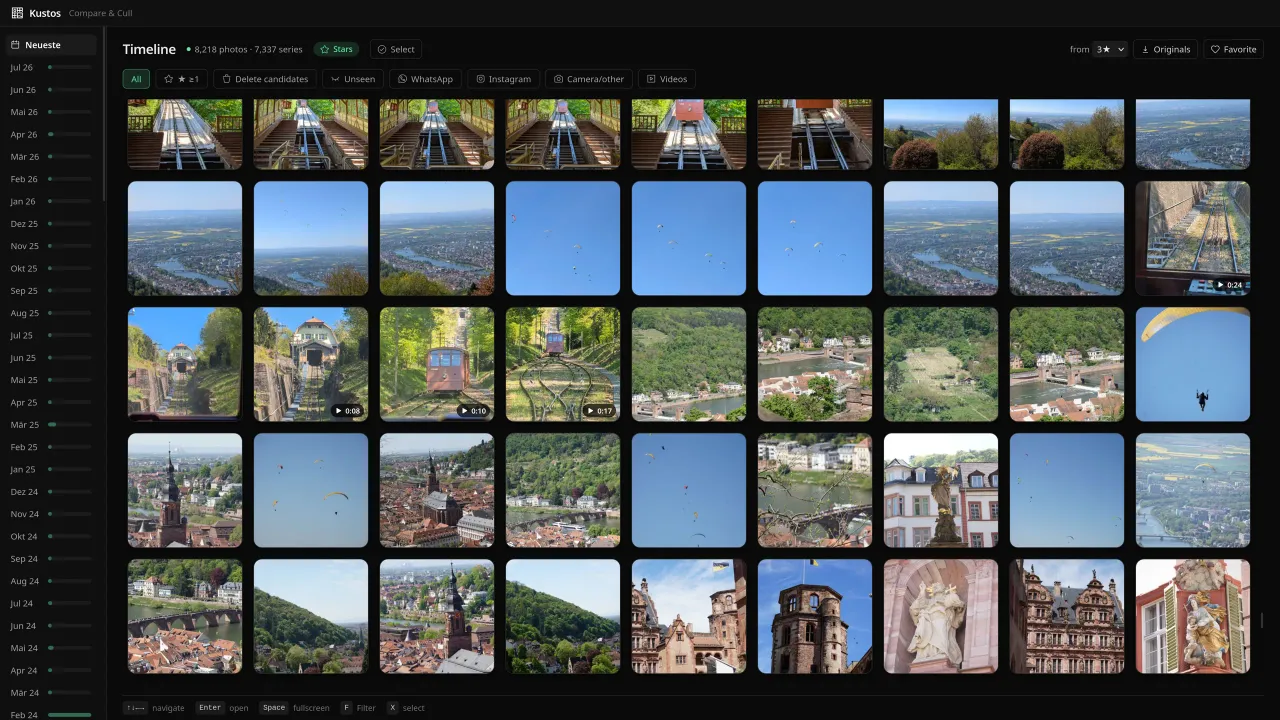
Videos & Live Photos
Not just stills. Play videos and Live Photos right in the browser and cull them like any other shot.
Get Kustos on your phone
Compare photo bursts on your laptop, keep the best with one keystroke and delete the rest, without your photos ever leaving your Wi-Fi.





0 culled · 0 MB freed
That’s Kustos.
Now do it with your own library.
Try it: tap to rate or cull
01
Similar shots and near-duplicates are grouped into series automatically. Compare them side by side and keep only the best one.
02
Rate with 1–5, discard with 0 or X, move with the arrow keys. Curate hundreds of photos in minutes.
03
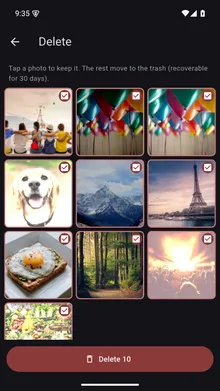
Marked photos are deleted only after iOS / Android confirms, and land in the trash — recoverable for 30 days.
Not just stills. Play videos and Live Photos right in the browser and cull them like any other shot.
Jump straight to screenshots, videos or photos from WhatsApp, Telegram and other apps with one click — clear the noise before you curate the keepers.
Give 1–5 stars, then download the originals of your top-rated shots as a ZIP with EXIF intact. Camera settings and location show on every shot.
Photos, ratings and series stay on your device — on iPhone and Android alike. No photo upload, no cloud, no accounts.
From clutter to a tidy library in under a minute.
Stars (rate & download) or Delete (sort out quickly). The mode controls the laptop view.
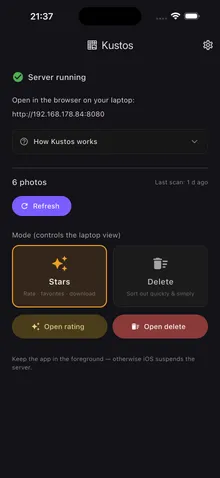
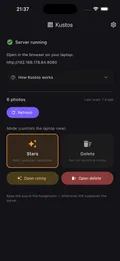
Open the shown address in your browser. Compare series and rate or mark for deletion there.
Delete marked photos here on the phone — iOS / Android confirms, photos go to the trash (recoverable for 30 days).
Kustos runs on your device and your Wi-Fi. Your photos are never uploaded — no account, no cloud.
Photos, ratings and series are stored only locally on your phone — no photo is uploaded or shared.
To curate on the laptop, a small server runs reachable only within your own Wi-Fi. Images go straight between phone and laptop — never over the internet.
No login, no cloud, no ads. The usage statistics are anonymous and EU-hosted, and are not tied to an account or a person.
No subscription. Pay once, keep it.
Up to 1,000 photos
All the core features: compare bursts, rate, cull and delete safely.
$4.99 one-time
Everything in Free, with no photo limit. Pay once, yours forever.
Prices may vary by region and currency.
No. Photos go directly between your phone and your laptop over your own Wi-Fi, never over the internet. Only anonymous usage statistics leave the device (you can switch them off), plus a photo’s coordinates when you look up its place name.
iOS or Android asks you to confirm every deletion. Deleted photos go to the system trash and can be restored there for 30 days.
Yes. Kustos runs on iPhone and on Android phones, with the same features on both.
Any current browser, such as Chrome, Edge, Firefox or Safari. There is nothing to install on the laptop.
Phone and laptop need to be on the same Wi-Fi. Guest and company networks often block devices from seeing each other. Then turn on your phone’s hotspot and connect the laptop to it.
The free version indexes up to 1,000 photos. If your library is bigger, a one-time Pro purchase removes the limit. No subscription.
Free up to 1,000 photos · Pro as a one-time purchase

Kustos
Free up to 1,000 photos